
Searching for a Warrant in Webb County
Webb County Public Access is the first online stop for many district and County Court at Law criminal files. Select a court location and the Criminal Records category. The portal also lists Probate, Family, Civil, and Court Calendar records, but those choices do not confirm a warrant. A Webb County search is a case-record lead, not a live warrant feed.
Use the case number from a notice when possible. A name alone can point to another person, and no result can mean the wrong court, a delay, a protected file, or a portal outage. Save the court and case number, then ask the assigned clerk whether a docket entry is current.
- Read the notice to identify the issuing court, case or citation number, and response date.
- For a district or county case, search Public Access by location and Criminal Records, then verify with the clerk.
- For a JP ticket, use the named precinct’s citation portal. For Laredo Class C matters, check Municipal Court.
- If the page is empty or the status is unclear, call that court. The Sheriff’s (956) 523-4500 line routes law-enforcement questions, not docket status.
- For policies or aggregate figures, submit a focused county records request. For federal notices, use the Laredo federal court or counsel.
Webb County Odyssey Search Steps
The working Webb County Public Access search asks the reader to choose a location and record type. For a criminal case, use Criminal Records, match the court and case number, and read the docket events rather than treating a name match as proof.
The screenshot below shows the official search controls, not a person’s case. The interface can help find the right file, while the District Clerk or assigned court clerk confirms the live warrant event.
Open the county Public Access search to see its court and case categories.
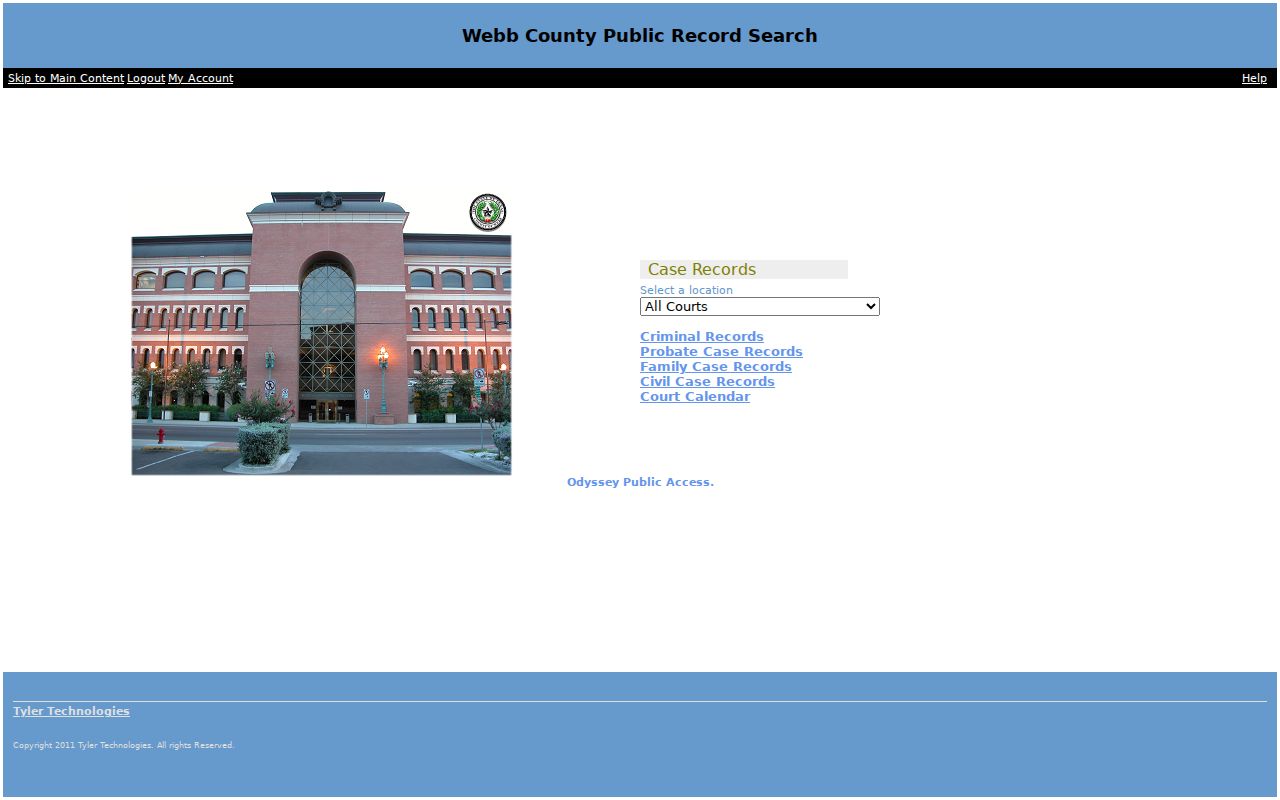
The portal is a case index. It does not cover every municipal, juvenile, sealed, federal, or recently entered record.
Warrant Search Fields Explained
The strongest field inventory in Webb County’s research comes from JP 2 Place 2’s citation portal. Its controls differ from Public Access: it searches a citation, license, or vehicle route, and the name/business controls appeared disabled during inspection. Use only your own identifiers on the official site.
| Field Label | Type | Required | Notes |
|---|---|---|---|
| Citation number | Text | By route | Enter the number printed on the JP notice. |
| Date of birth | Date | With citation | Use the person’s own date in the portal’s requested format. |
| Driver license | Text and state | By route | Portal allows a number up to 20 characters and a state selection. |
| Social Security number | Text | By route | Use only if needed in the verified official form; never share it in a public request. |
| Vehicle information | Plate and state | By route | A vehicle citation search does not confirm warrant status. |
Webb County JP Search Limits
The inspected JP 2 Place 2 form offers Citation Number plus date of birth, Driver’s License plus state and date of birth, Social Security number plus date of birth, and Vehicle Information with plate and state. Name and business search controls were disabled in the inspected view.
View the JP 2 Place 2 citation search form to confirm its live fields before use.
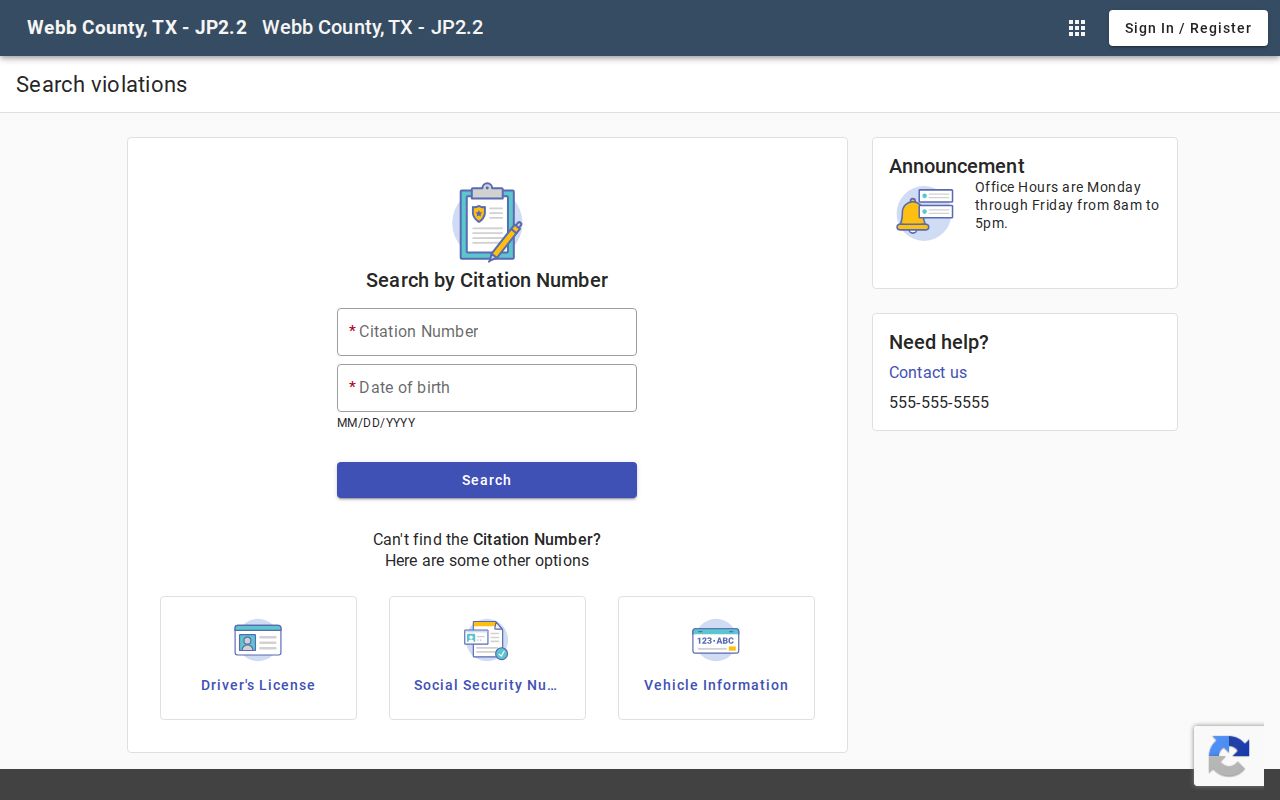
Never put another person’s date of birth, license, or Social Security data into a search. The JP portal is for a person’s own citation and does not replace a clerk’s warrant confirmation.
What a Warrant Search Shows
A Webb County case result may provide court, case number, filing or offense date, case type, docket events, and a status or disposition field. The portal was inspected without opening any private result, so these are possible categories, not a promise that every record shows every item.
| Case identifier | CASE / CITATION NO. Use the real number from the notice; no public warrant-number pattern was confirmed. |
|---|---|
| Charge or obligation | May show an offense, citation, failure to appear, or judgment context. |
| Issuing court | Check the court and location before contacting a clerk. |
| Bond or balance | A displayed amount may not include all costs or court conditions. |
| Status events | A docket entry can be historical even after a later recall, service, payment, or reset. |
Webb County Search Delays
A result can be missing because the wrong court or precinct was selected, a citation has not posted, or a record is restricted. JP 3 warns that new citations can take about two weeks to appear online; JP 4 posts an estimate of about three weeks. Those are portal notices, not legal deadlines.
If a court letter says to appear, do not let an empty portal end the check. Call the issuing JP or clerk and ask whether the matter is a citation only, an FTA, a capias, or a warrant event.
Where to Check Warrants in Webb County
District criminal records belong with the District Clerk and assigned district clerk. County Court at Law matters route through the named court or County Clerk. JP citation cases stay with the issuing precinct, and Laredo Class C matters use the city’s Municipal Court route. A single county portal does not unite those dockets.
Texas has no single public statewide warrant lookup located in this research. DPS’s Failure to Appear/Failure to Pay program concerns license renewal; DPS directs a person to the issuing court and says its license specialists cannot confirm whether a warrant exists.
Webb County City Court Route
Laredo Municipal Court has its own Class C case-search entry point, warrant explanations, and session schedule. Its warrant page distinguishes a warrant of arrest, capias pro fine, and capias. Laredo says arrangements are made in person, so a phone call should confirm where and when to appear, not substitute for court action.
Rio Bravo is listed in the Texas Judicial Branch directory, but no city-hosted public warrant lookup was found. For El Cenizo, verify the current court through the city or Judicial Branch directory. Do not borrow Laredo’s process for another city.
Webb County Records Request Route
The county Open Records request selector first asks the user to choose a request category. A focused request can ask for policy, record custodian, retention, update cadence, a redacted schema, or aggregate counts for a set date range.
The image shows the official request-category screen. The full form appears after a category is selected, and the exact required fields were not visible during inspection.
Open the county request selector to view its current categories.
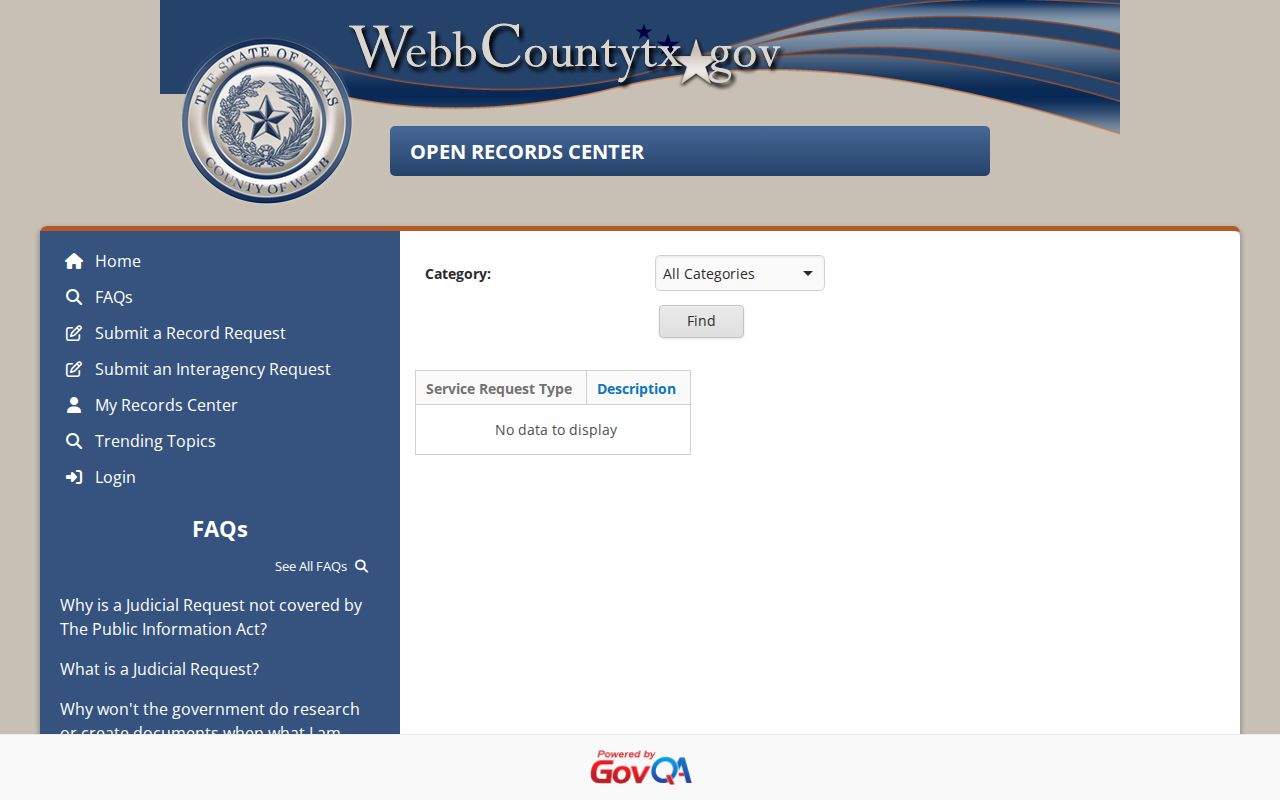
Ask for an itemized estimate and electronic delivery. A records request is not a substitute for the issuing clerk’s answer about one case.
Restricted Warrants and Access Rules
Webb County public access does not include every law-enforcement or court record. Texas Government Code §552.108 may protect material when release would interfere with detection, investigation, or prosecution. A court docket and an operational Sheriff file can have different access rules.
Key Rules:
Sealed, restricted, recently entered, or law-enforcement-sensitive material may be withheld from a public search.
Texas Family Code Chapter 58, including §58.010, limits public access to juvenile arrest-warrant material.
An empty Webb County search is not proof that no warrant exists. Confirm with the court named on the notice.